Attenua Skip to content
Attenua

Protect your focus.
Stay responsive.

Deep work without looking unavailable. Attenua triages your Slack and other work messages for you, allowing you to stay focused on your work without distractions. Urgent items break through, and everything else waits for batched summaries.

Senders get acknowledged automatically. You stay focused. Nothing falls through the cracks.

One place to check. Slack, email, Jira—all triaged together. Your messages never leave your device.
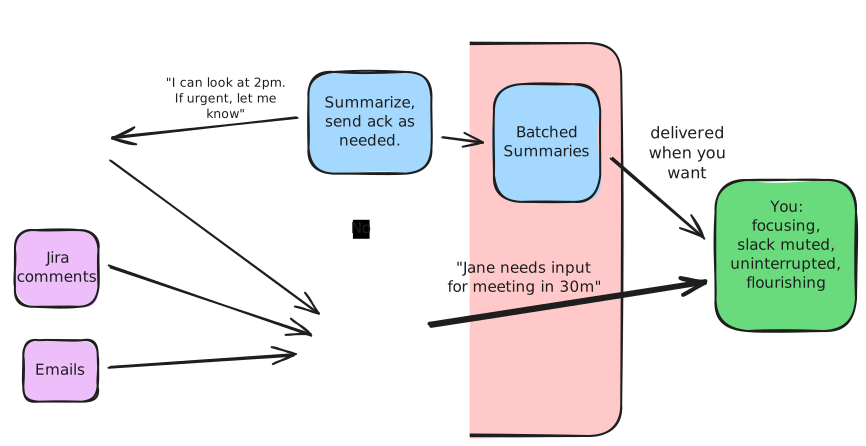
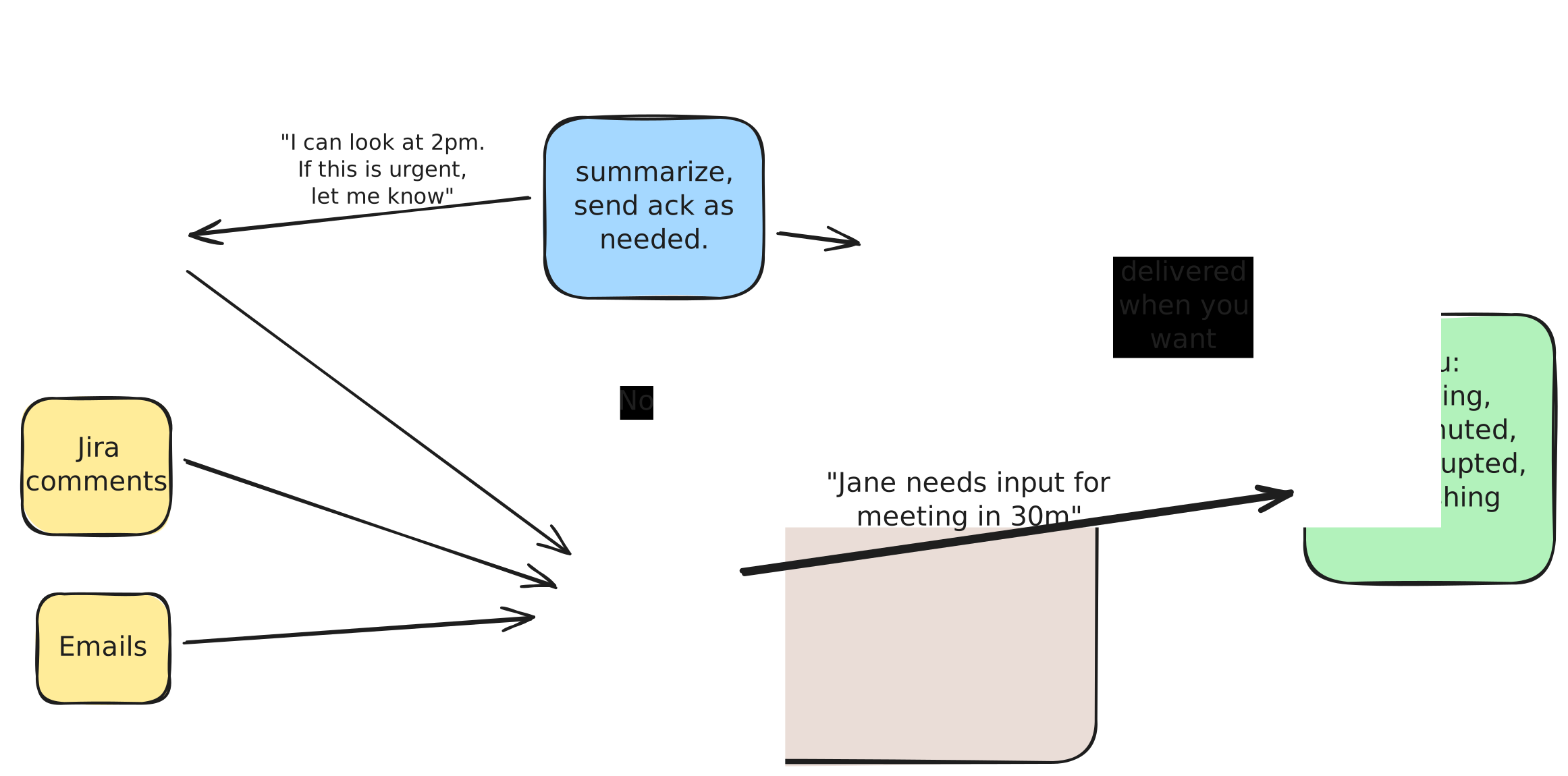
Attenua workflow diagram Attenua workflow diagram

What Attenua Solves

Illustration showing focus recovery after interruptions Illustration showing focus recovery after interruptions

Focus recovery is the hidden tax of every interruption.

Each ping steals time and context. Attenua keeps you responsive without dragging you out of flow, so deep work stays intact.

Notifications destroy deep work

Constant pings pull you out of flow, and it can take real time to get back into a hard problem.

23 minutes average to regain focus after each interruption

Going dark has consequences

Muting everything protects focus, but it also risks missing something important—or being seen as hard to reach.

Missed escalations, damaged relationships, reputation as "unresponsive"

Important messages get buried

Channels, threads, bots, and tool integrations create noise that makes real requests easy to miss.

Dropped tasks, duplicated work, eroded trust

Staying "caught up" becomes the job

Checking Slack all day feels like work, but it quietly replaces the work you're actually trying to do.

Hours lost daily to inbox maintenance instead of real output

How it works

Step 1

Messages arrive, Attenua triages locally

Every message is classified on your device using local heuristics and on-device AI—into action now, action later, or FYI. Nothing leaves your machine.
Step 2

Urgent items break through immediately

You get one context-rich notification: who, what, and why it's urgent—plus quick actions to respond or snooze.
Step 3

Senders get auto-acknowledged

Non-urgent messages receive a polite "received" note with your next check-in time and an escalation path if needed.
Step 4

Everything else lands in scheduled summaries

Time-boxed digests let you stay responsive without a constant stream of interruptions.

Frequently asked questions

Do my messages leave my device?

No. Attenua is designed to be local-first. Your message content stays on your machine, with on-device processing and a local database. We never see your messages.

What if I miss something truly urgent?

Urgent items always break through immediately—you get a context-rich notification with who's asking, what they need, and why it's urgent. Plus quick actions to respond or snooze. The whole point is that you never miss what matters.

How does it know what's urgent?

Attenua uses local heuristics and on-device AI to classify messages. It considers factors like sender, keywords, patterns, and context. You can also train it over time—mark something as urgent or not, and it learns your preferences.

Will my coworkers see the auto-responses?

Yes, that's the point. Auto-acknowledgments let senders know you've received their message, when you'll check in next, and how to escalate if it's truly urgent. It reduces their anxiety and your guilt.

Will it reply on my behalf?

Only brief acknowledgments. Attenua can auto-acknowledge DMs and direct @mentions with a "received" note and your next check-in time—not channel chatter or group threads. It never drafts substantive responses or commits to work for you.

Which tools are supported?

Slack will be the first integration, followed by Gmail and Jira. Linear, Asana, Microsoft Teams, and Google Docs (for comments) are also planned.

Which operating systems are supported?

Attenua is launching on macOS first, with Windows support to follow.

When can I try it?

Join the waitlist and we'll email you as early access opens.

Join the waitlist

Be first to try Attenua. We'll email you when early access opens.